Press ⌥Space — ask about the app you're already in.
No switching to a browser, no pasting screenshots into a chatbot, no losing your place. Guidelet reads whatever is on your screen, gives you the right amount of help, and draws a box around the exact control you need — on top of the app itself.
No plugins. No per-app setup. Nothing to integrate. Guidelet reads pixels, not APIs — so it works in anything you can see, including the app nobody has written a tutorial for.
Interactive product tour · seven apps · direct answers and guided walkthroughs
Getting unstuck today
- Leave the app.
- Screenshot it, open a browser, paste it into a chatbot.
- Read an answer that names a button you now have to hunt for.
- Switch back. Find your place again. Scan the toolbar.
Four context switches to press one button.
With Guidelet
- Press ⌥Space without leaving the app.
- Ask in plain words.
- The box lands on the real button, in the real window.
You never looked away.
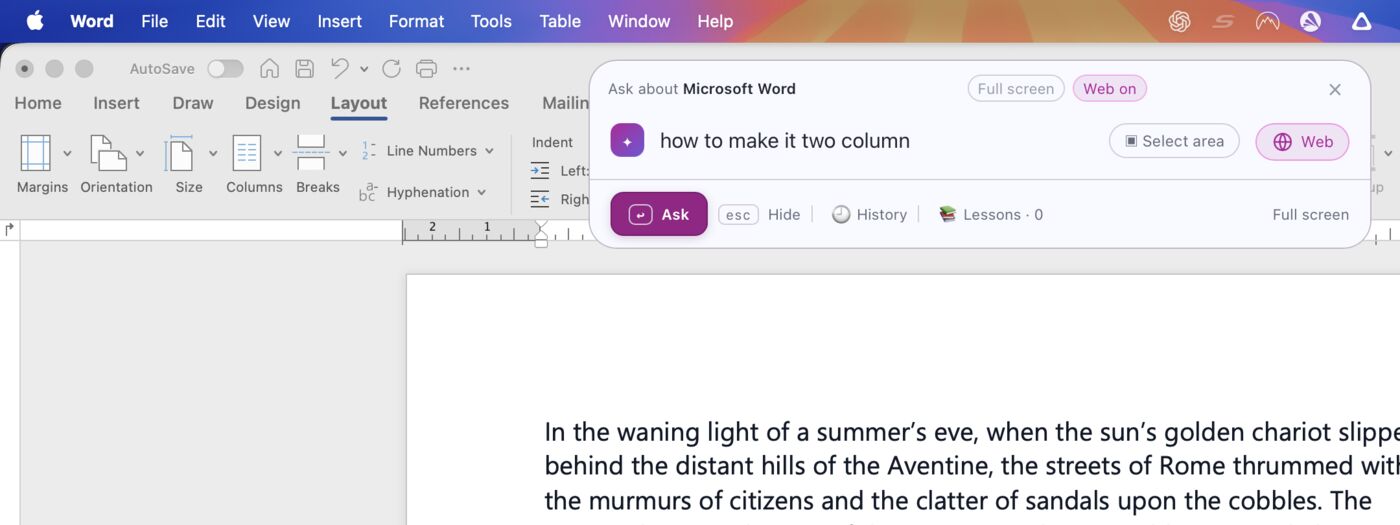
One shortcut, over whatever is in front — the bar names the app it is reading before you type a word. Word is still there, untouched, behind it.
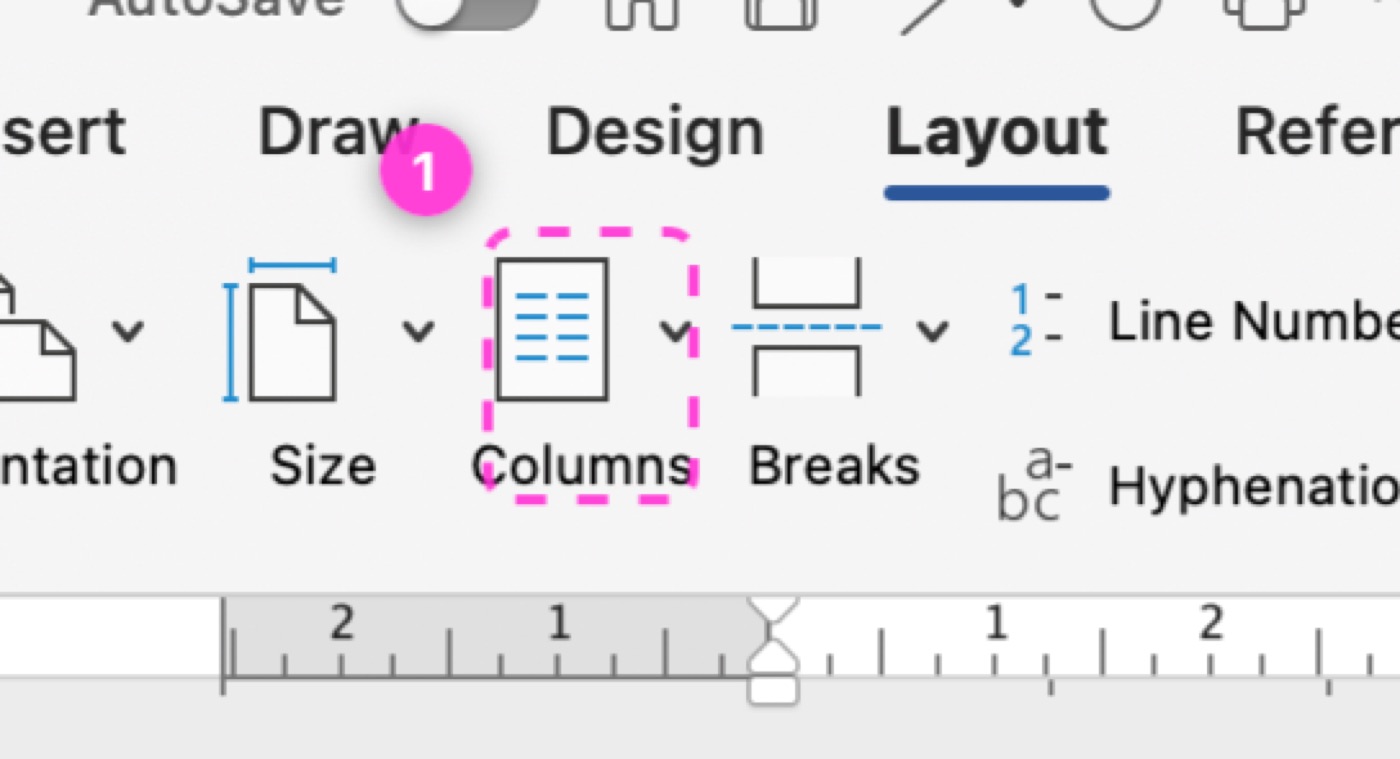
Not a description of where the button is. A box on the button, numbered in the order you touch it.
An answer when it is simple. A walkthrough when it is not.
Ask naturally. Guidelet works out whether the task needs one highlighted control or a route with several actions — you do not have to choose a mode first.

One answer and one box
For a single action, Guidelet answers directly and marks the control to use.
See the route before starting
For a longer task, it builds the actions on the fly and shows what the walkthrough will cover.
Move one action at a time
Start the route when you want guidance. Guidelet highlights the current action and checks the screen before moving on.
It docks beside your work.
Word keeps its window and stays usable. The answer takes the side, the box stays on the button, and you carry on in the document you were already in.


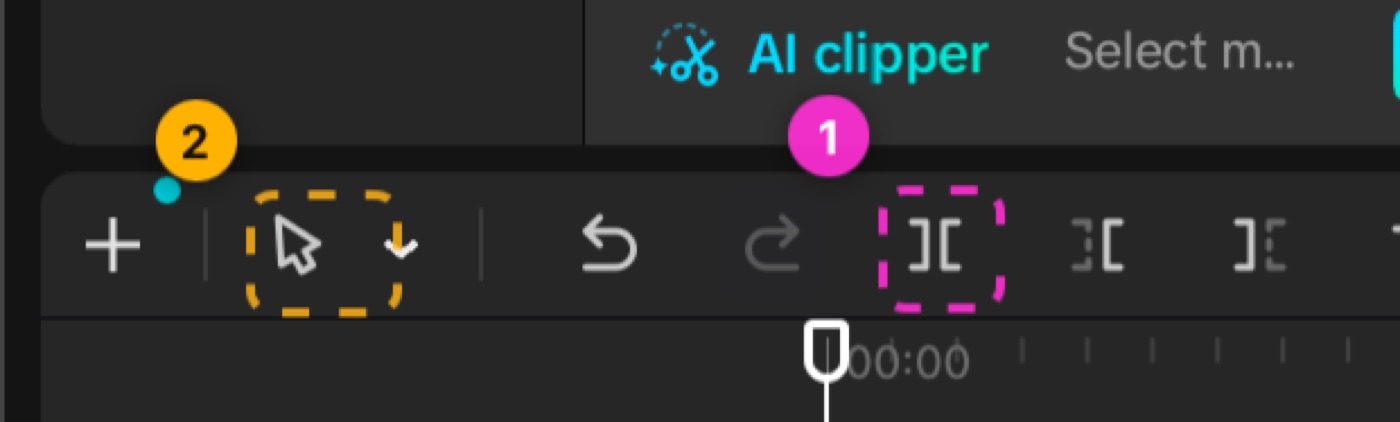
It doesn't know CapCut. It reads screens.
Nothing here was built for a video editor. The same thing that finds a button in Word finds one in CapCut, Blender, or software with twelve users — because it looks at your screen the way you do.
Everything else it keeps track of.
A history per app
Questions stay filed under the app you asked them in, so Word answers never mix with CapCut ones.
Save as a lesson
Keep an answer and its boxes for later. Reopen it the next time you need the same steps.
Select an area
Drag a box around one panel and ask about that alone, instead of the whole screen.
Web when it helps
It searches on its own when the app is niche, and lists the sources it used under the answer.
Share or download
Send an answer with its highlighted screenshot to someone else, or save it to disk.
Follow-ups in place
Ask the next question without leaving the app or losing the boxes already on screen.
What Guidelet sees and where it goes.
Guidelet needs a view of the screen to answer a question, but that does not mean continuous recording. You decide when a capture happens.
Does Guidelet record my screen continuously?
No. Guidelet captures a still image only after you ask a question or approve a capture. It does not continuously record video or audio.
What leaves my Mac?
The captured still image, your question, the detected app name, relevant follow-up context, and an optional area you selected are sent to the answer service. If web search is on, the service may also send the question and relevant context to a search provider.
What stays on my Mac?
Your saved lessons, answer history, settings, and capture approvals are stored locally. Guidelet does not store captured screenshots in its account database by default.
Why is this Mac linked to one account?
Guidelet creates a stable one-way device code to prevent several accounts being used from the same Mac. The raw hardware identifier never leaves the Mac. The device-to-account binding remains until support deliberately releases it.
Who processes information?
Guidelet uses service providers for answers, account access and usage limits, optional web results, website delivery, and waitlist email. Those providers may process or temporarily log information to operate and secure their services.
How can I delete my data?
Delete local history and settings from the app. For account records, device release, waitlist removal, or another privacy request, email hello@guidelet.app.